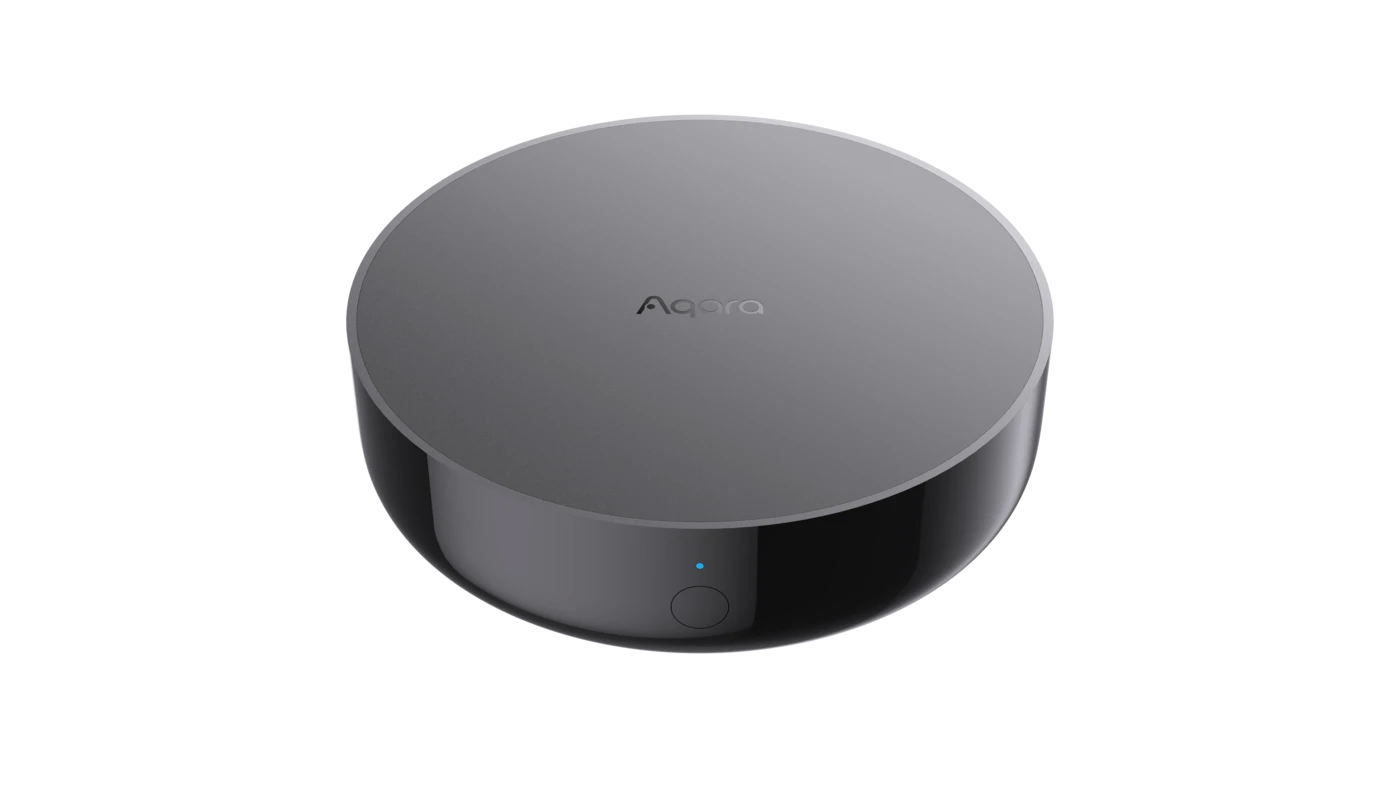
M200 gives an existing infrared aircon an always-on app connection. Use Aqara Home for the richest controls, then bring common everyday control into Apple Home, Google Home or Alexa through Matter.
Full control in Aqara Home. Everyday control in your smart-home apps.
Aqara Home and Matter provide two complementary layers. Aqara Home sets up and manages M200; Matter makes the aircon available to compatible home platforms for daily control.
01Aqara HomeFull experience
Set up the remote. See every supported control.
Pair the aircon profile, confirm which modes its remote supports, adjust temperature and fan speed, build schedules, link sensors and manage automations.
Aircon setup and remote matching
Richer device controls and state
Aqara Automations 2.0
02Matter platformsEveryday access
Put common controls beside the rest of your home.
Share the M200's dedicated aircon entry with a compatible ecosystem. Use that platform's app, scenes, routines and voice assistant for the actions it exposes.
Apple Home, Google Home and Alexa
Common thermostat-style control
Platform scenes, routines and voice
Inside Aqara Home
The aircon controls you expect, right on your phone.
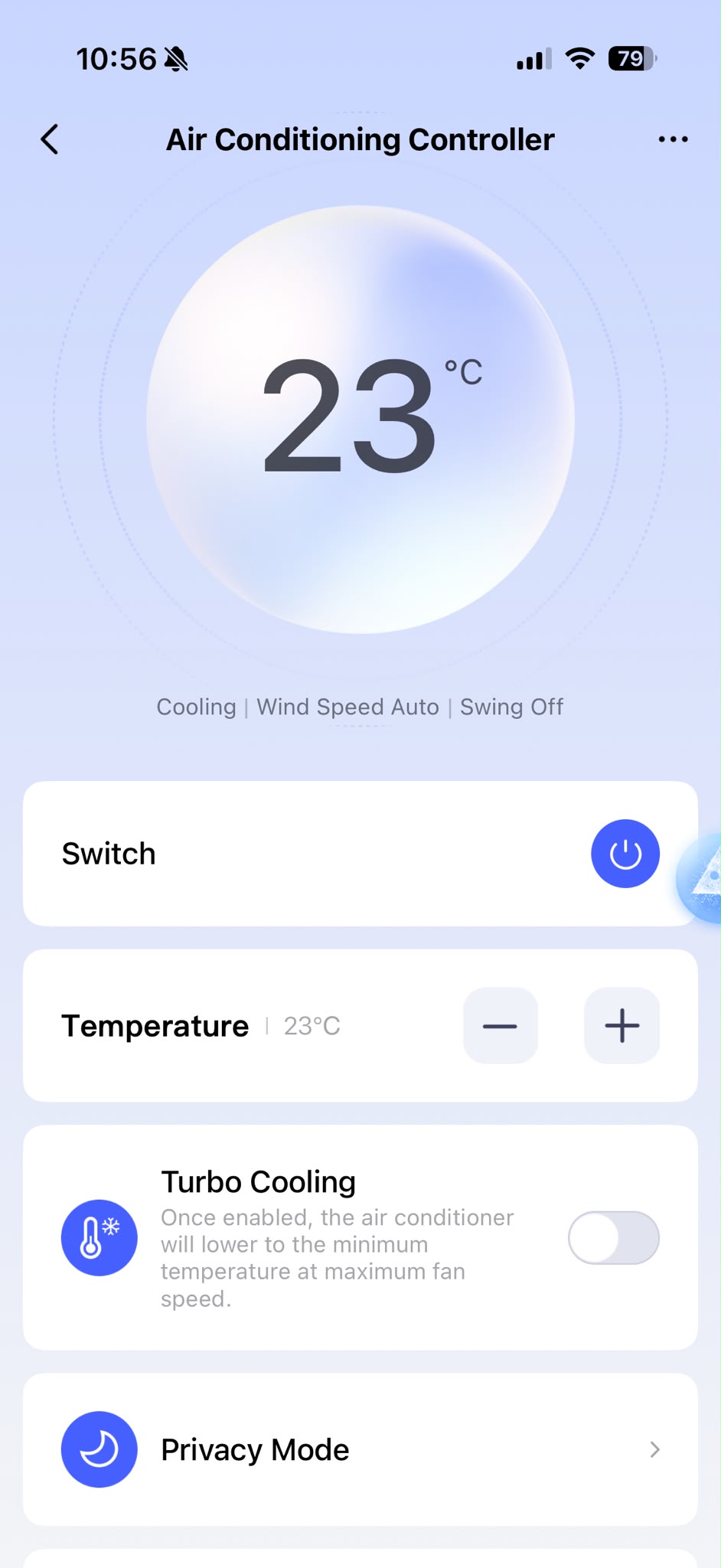
The M200 gets a dedicated Air Conditioning control in Aqara Home. Once its infrared profile is matched, the screen reflects the functions that profile supports.
Power
Turn the aircon on or off from the room, the sofa or before you arrive home.
Target temperature
Raise or lower the set temperature without finding the physical remote.
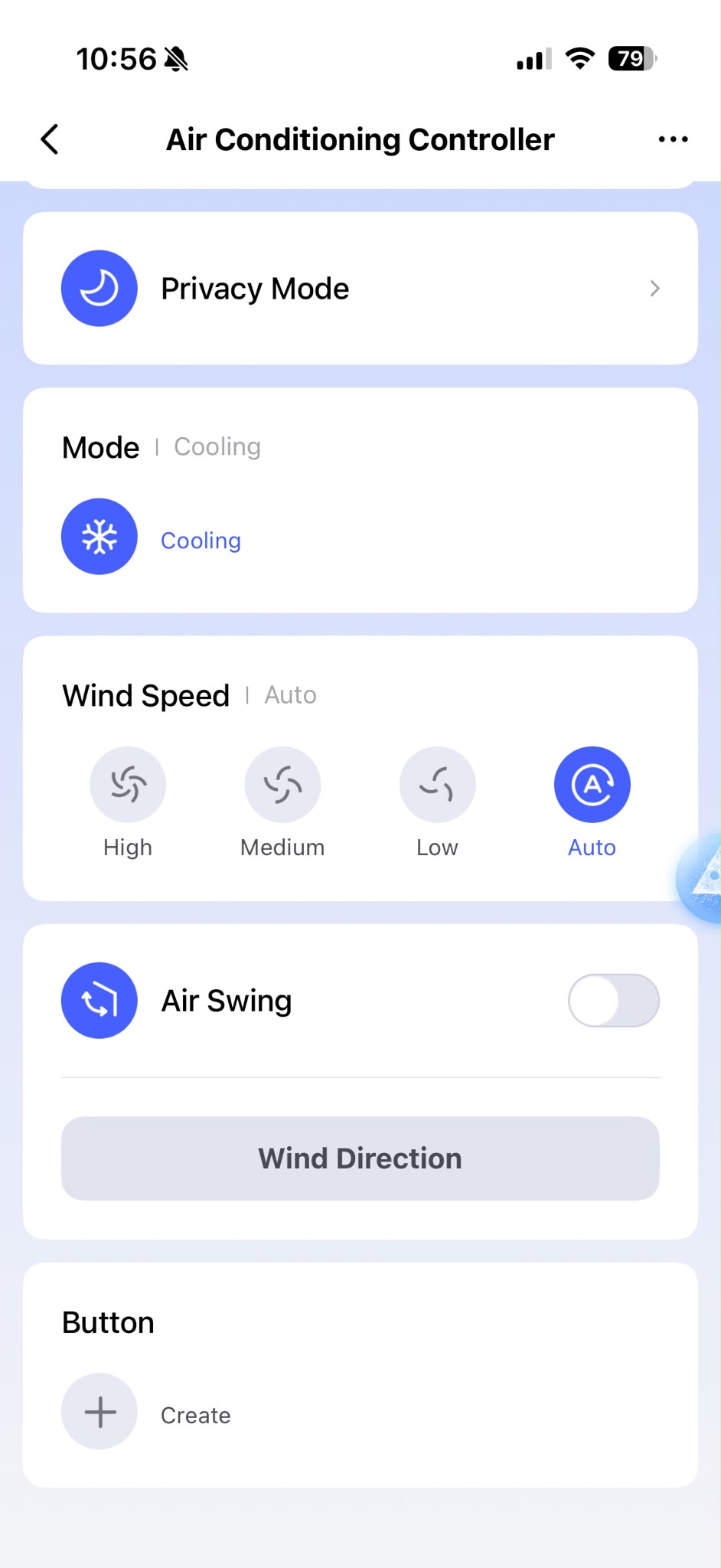
Fan speed
Choose a learned fan setting, including Auto, when the aircon profile supports it.
Mode and swing
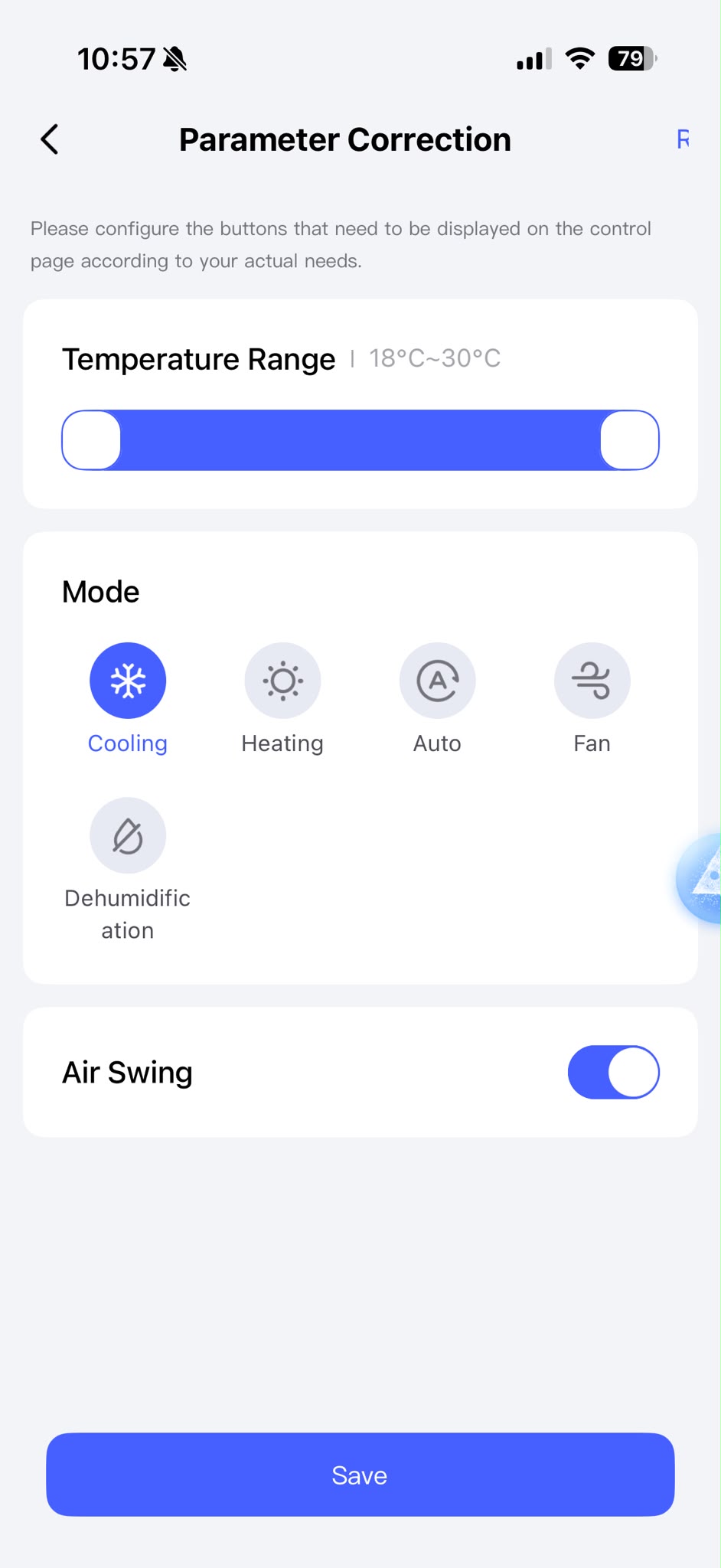
Expose the modes and swing controls supported by the aircon remote you pair.
Remote state sync
Compatible original-remote presses can update M200's recorded aircon state in Aqara Home.
Schedules and scenes
Save repeated actions so bedtime cooling or an arrival scene takes one tap—or none.
Daily controlPower, set temperature and current mode at a glance.
Match the airconExpose the modes, range and swing your profile supports.
Fan speed and swingChoose the available fan level, Auto mode and air-swing controls exposed by the matched profile.
Actual Aqara Home screens from a HomeSmart M200 setup. Available controls depend on the matched aircon profile, and app screens may change with software updates.
Why the app works from anywhere
Your phone reaches the always-on M200.
The M200 stays powered, connected and pointed towards the aircon. Aqara Home—or a connected smart-home platform—routes your instruction to it. M200 then sends the infrared command the aircon already understands.
01
You tap or ask
At home or away from home
02
The platform routes it
Aqara Home or your Matter ecosystem
03
M200 sends infrared
The existing aircon responds normally
Apple Home, Google Home and Alexa
Keep daily control in the home app everyone already knows.
M200 can expose one infrared aircon through its dedicated AC control to a Matter ecosystem. That gives the aircon familiar thermostat-style controls in the home app you already use.
Apple Home
Bring common aircon controls into the Home app, then use them in scenes, automations and Siri requests.
Voice assistant · Siri
Google Home
Keep everyday control beside the rest of your Google Home devices and include it in household routines.
Voice assistant · Google Assistant
Amazon Alexa
Use Alexa routines and supported voice requests from a phone, tablet or compatible smart speaker.
Voice assistant · Alexa
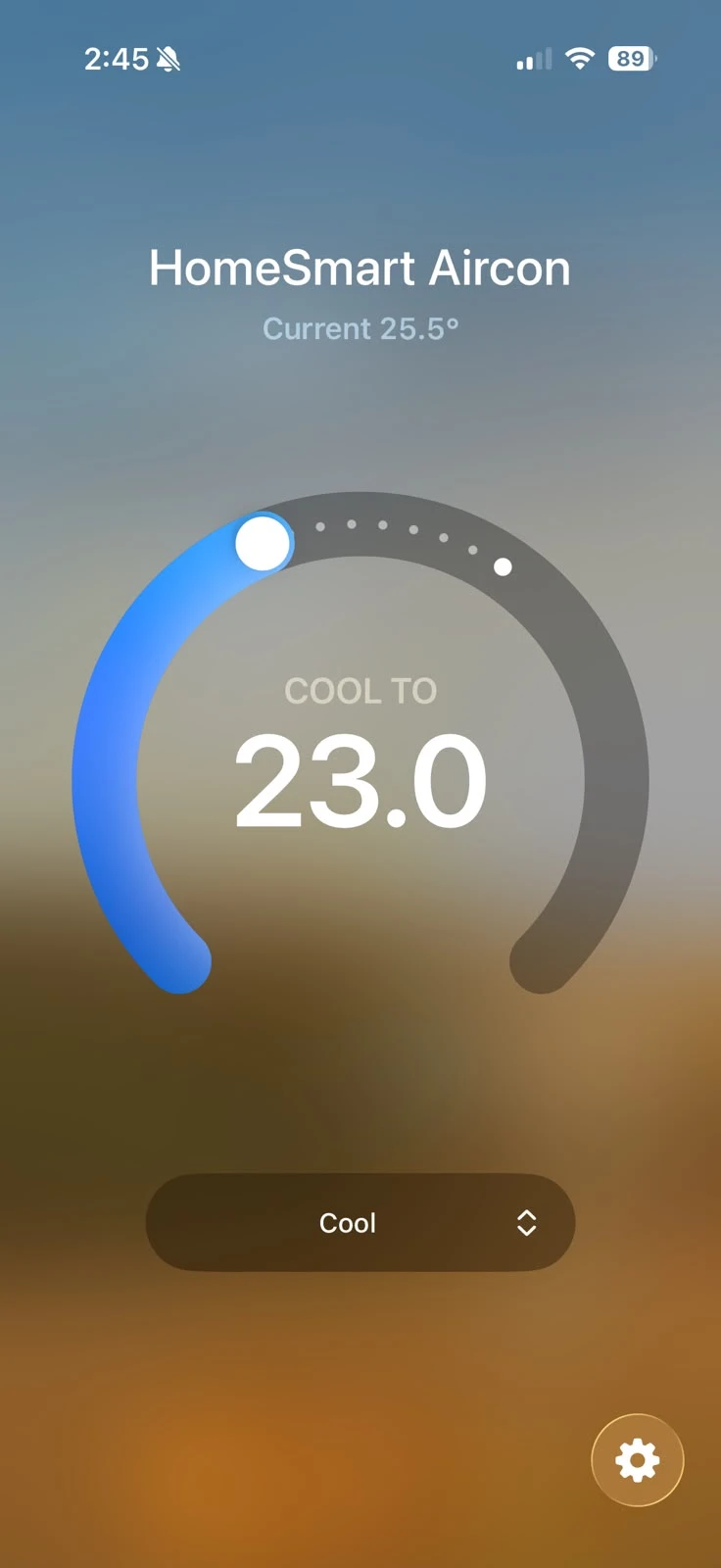
Aircon control in Apple Home
See and adjust everyday aircon settings in Apple Home, then include the aircon in scenes and automations or control it with Siri.
Actual HomeSmart setup · interface may change with app updates
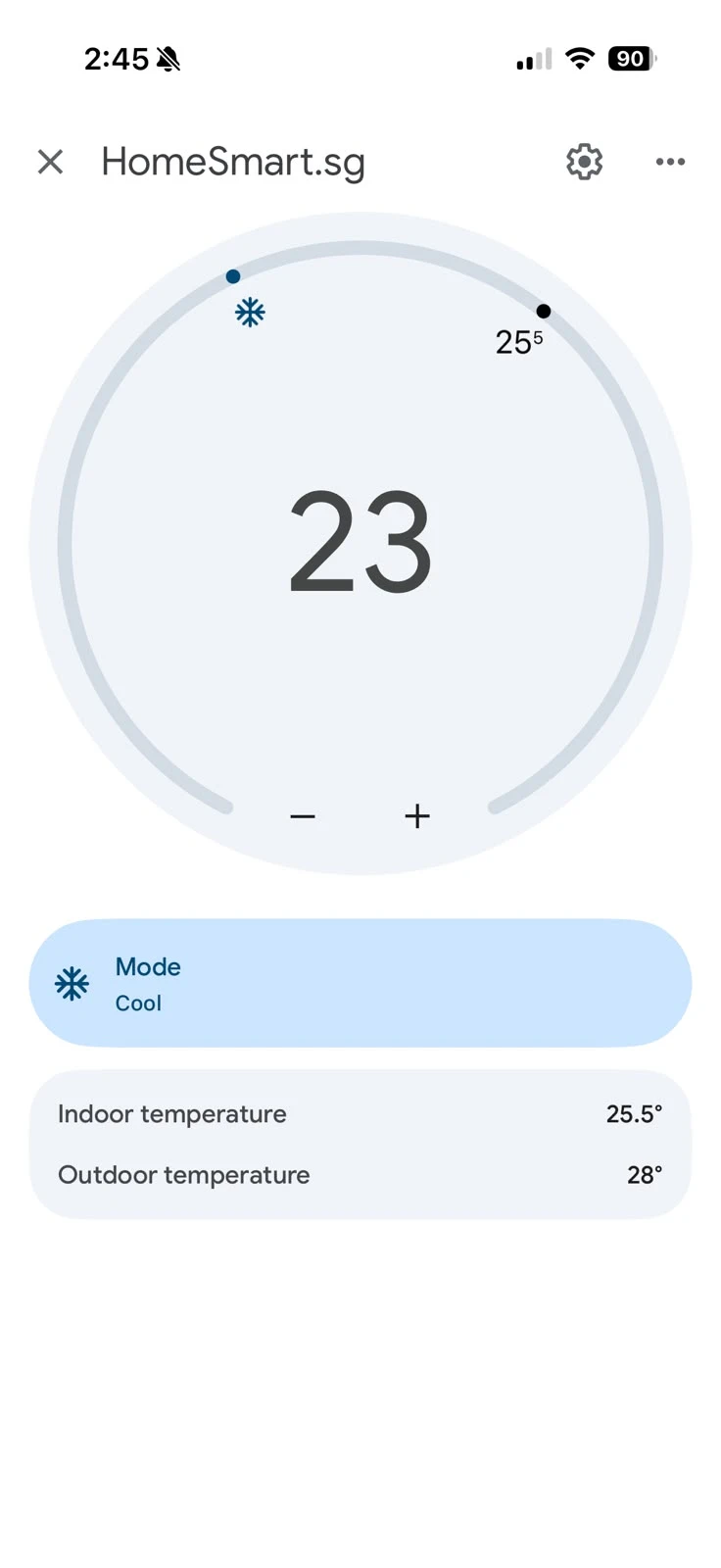
Aircon control in Google Home
See and adjust everyday aircon settings in Google Home, include the aircon in household routines or control it with Google Assistant.
Actual HomeSmart setup · interface may change with app updates
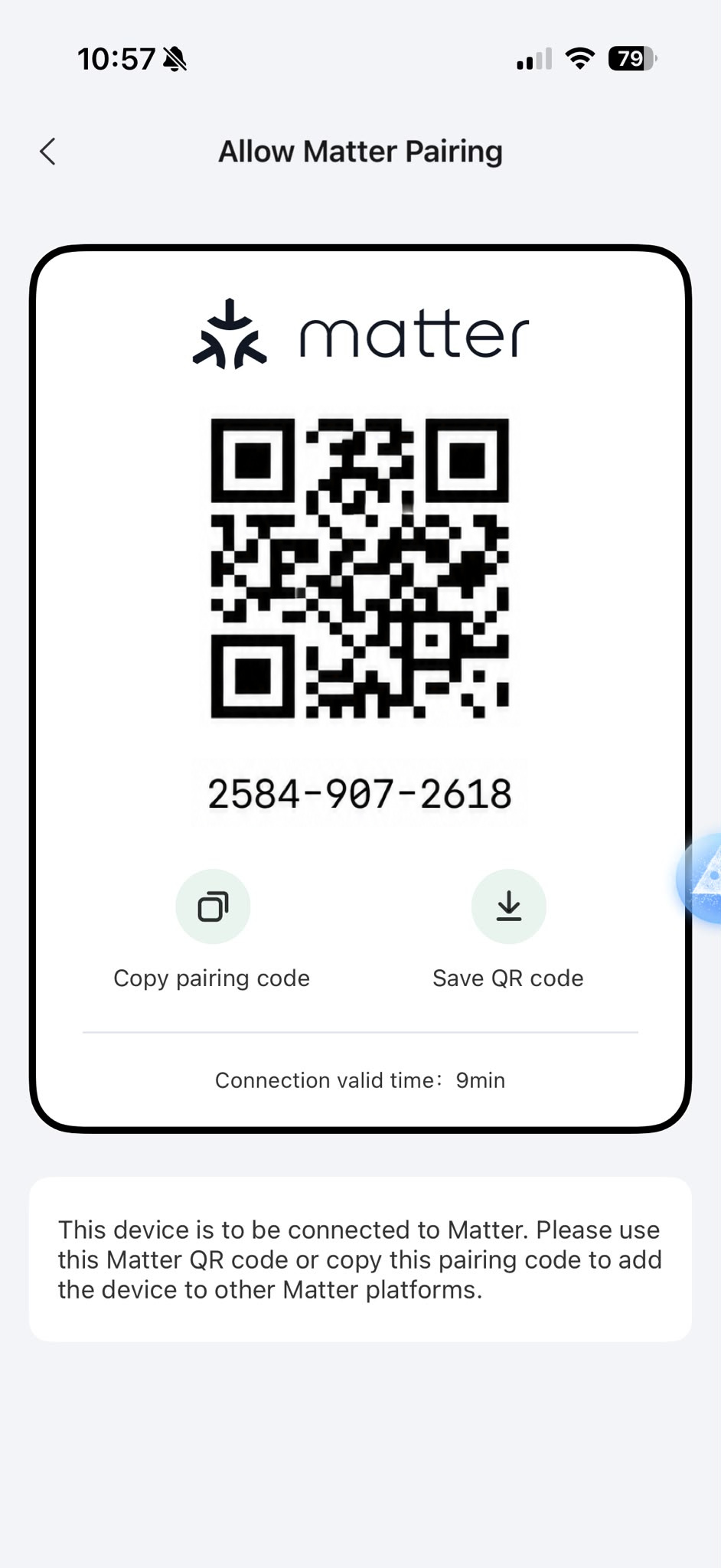
Generate the pairing code in Aqara Home, then add the bridge to your preferred Matter platform.
MATTER COMPATIBILITY
Set it up, and control with multiple Matter platforms.
01
Add M200 to Aqara Home
Connect the hub and match the infrared aircon profile.
02
Open Third-Party Matter Ecosystems
Ask Aqara Home for a Matter pairing code.
03
Add it to your chosen platform
Assign the aircon to a room and use the controls that platform makes available.
Worth knowing: exact controls and labels vary by platform, app version and aircon profile. Aqara Home remains the fullest control surface. For multiple IR aircons on one M200, Aqara's Advanced Matter Bridging follows a different setup.
Also supported by M200 SmartThings · Home Assistant · IFTTT
Schedules and Automations 2.0
Advanced Aqara Automations
Aqara Home can combine time, temperature, presence and window state using WHEN–IF–THEN logic. Start with one routine that makes the room noticeably easier.
01
A simple schedule
WHEN
10:00 PM on weekdays
IF
Bedroom routine is enabled
THEN
Cool to 24°C · fan Auto
02
Comfort with context
WHEN
W100 reads above 27.5°C
IF
FP300 confirms someone is present
THEN
Start the aircon with M200
03
Stop cooling outdoors
WHEN
Sensor T1 sees the window open
IF
It stays open for two minutes
THEN
Turn the aircon off
Designed to keep the useful parts close to home. Eligible Aqara automations can run locally on M200. Cloud services such as push notifications and away-from-home access still require an internet connection.
VOICE CONTROL ENABLED.
“Hey Google, set the aircon to 24°.”
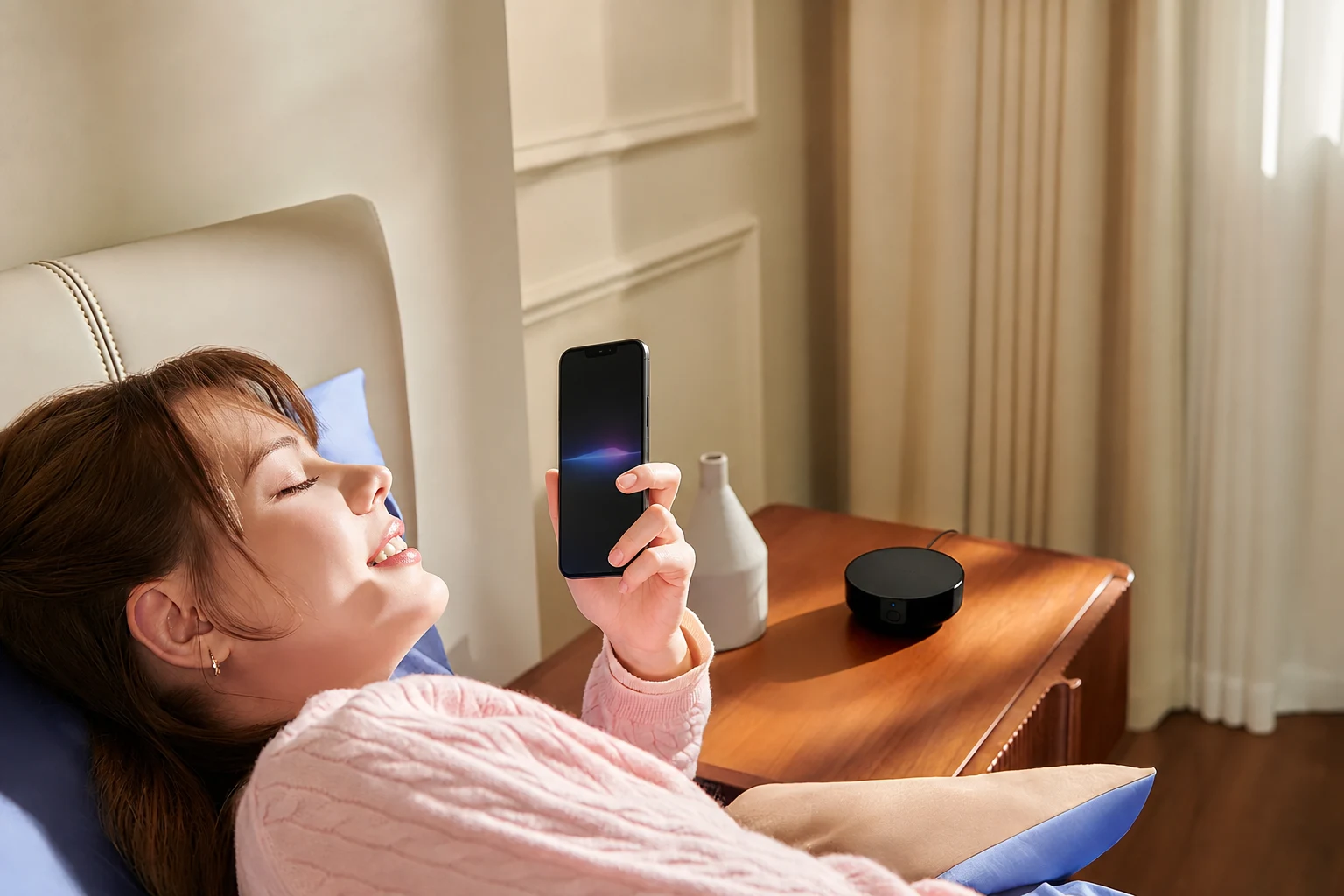
Once M200 is added to the corresponding home platform, Siri, Google Assistant or Alexa can route supported requests from a phone, tablet or smart speaker. The device you speak to hears the request; M200 simply carries out the infrared command.
SiriGoogle AssistantAlexa
BedroomCooling · 24°C
Aircon compatibility guides
Works with your aircon brand.
Start with the name on the indoor unit, then check the remote. Each guide explains the common Singapore model families, the controls M200 can add and the limits of infrared.
 Smart Aircon