
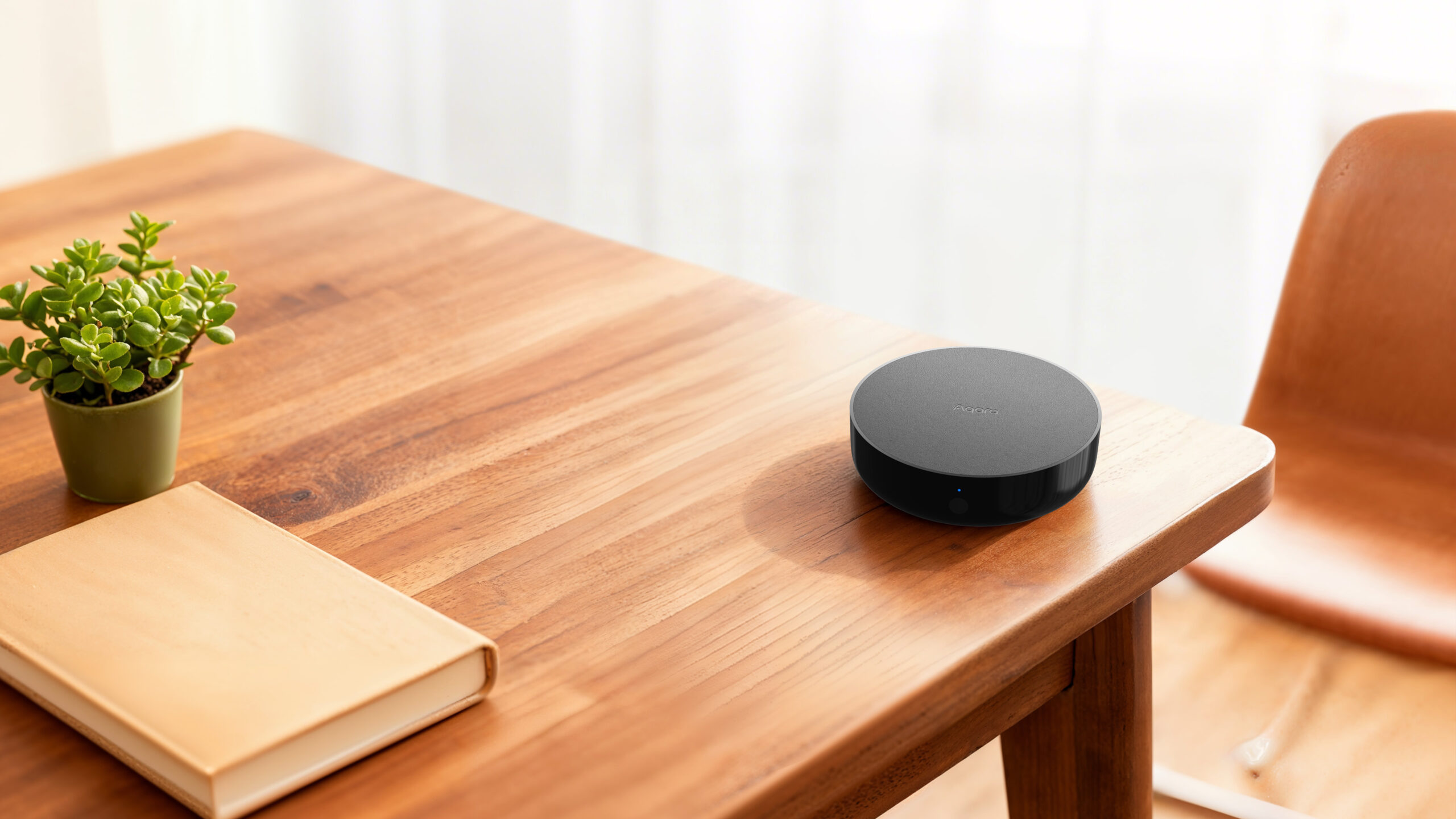
The M200 is Aqara’s current mainstream smart home hub for Singapore. The M2 was the workhorse before it — a hub we’ve installed in hundreds of HDB flats, condos, and landed homes since 2020. The M2 has now been discontinued and is no longer available for sale, but existing units keep working, and a great many Singapore homes are still running one as their main bridge to Apple Home, Google Home, and Alexa.
This guide compares the two for two audiences: people starting fresh today, who should be looking at the M200, and existing M2 owners wondering whether it’s time to upgrade.
The short answer: the M200 is the hub to buy today. It adds Thread, Matter Controller mode, Wi-Fi 6, PoE installation, IR status sync, and a speaker that plays custom audio messages. If your M2 is already doing what you need, there’s no urgency to replace it — the things the M2 already does (Zigbee, Apple Home bridging, IR control, local automation) continue to work fine. The upgrade case is strongest if you want to add Thread or Matter-native devices, install in a structured-cabling environment, or keep IR appliances in sync when someone uses the original remote.
The long answer below covers wireless protocols, Matter and Thread support, IR control, device capacity, power options, and what the M200 actually changes in real Singapore installations.
Quick spec comparison
| Aqara Hub M200 (current) | Aqara Hub M2 (discontinued) | |
|---|---|---|
| Model | HM-G03D | HM2-G01 |
| Released | 2025 | 2020 — discontinued |
| Wi-Fi | Wi-Fi 6, dual-band 2.4 / 5 GHz, WPA3 | Wi-Fi 4, 2.4 GHz only |
| Zigbee | Zigbee 3.0 | Zigbee 3.0 |
| Thread | Yes — Border Router + Mesh Extender | No |
| Bluetooth | BLE | BLE 5.0 |
| Matter | Controller + Bridge + Thread Border Router | Bridge only (firmware ≥ 4.0.0, since Feb 2023) |
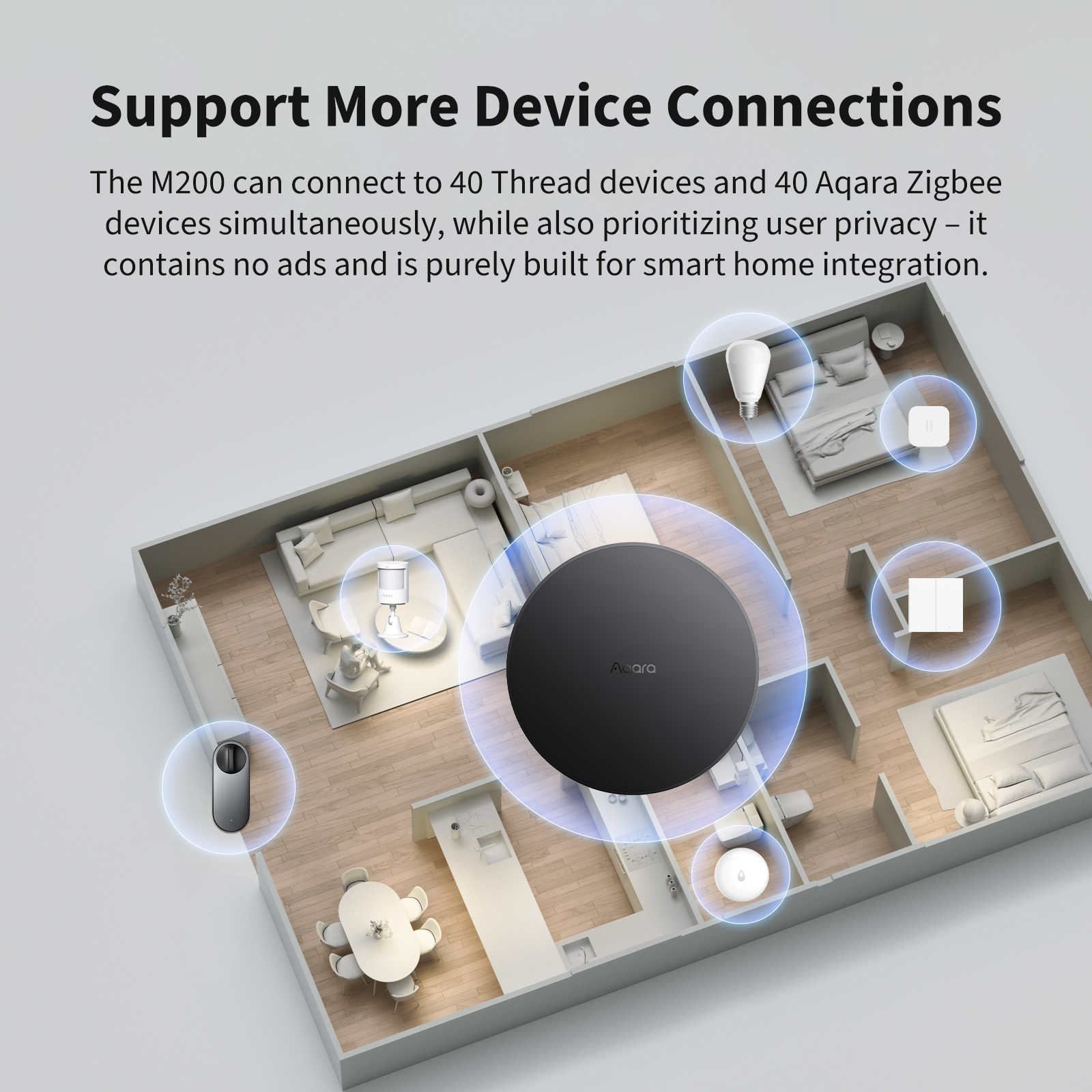
| Max devices | 40 Zigbee + 40 Thread | Up to 128 Zigbee (with repeaters) |
| IR control | 360° IR blaster + IR learning + status sync | 360° IR blaster + IR learning |
| Power | USB-C 5V/2A or PoE 48V/0.25A | Micro-USB 5V/1A |
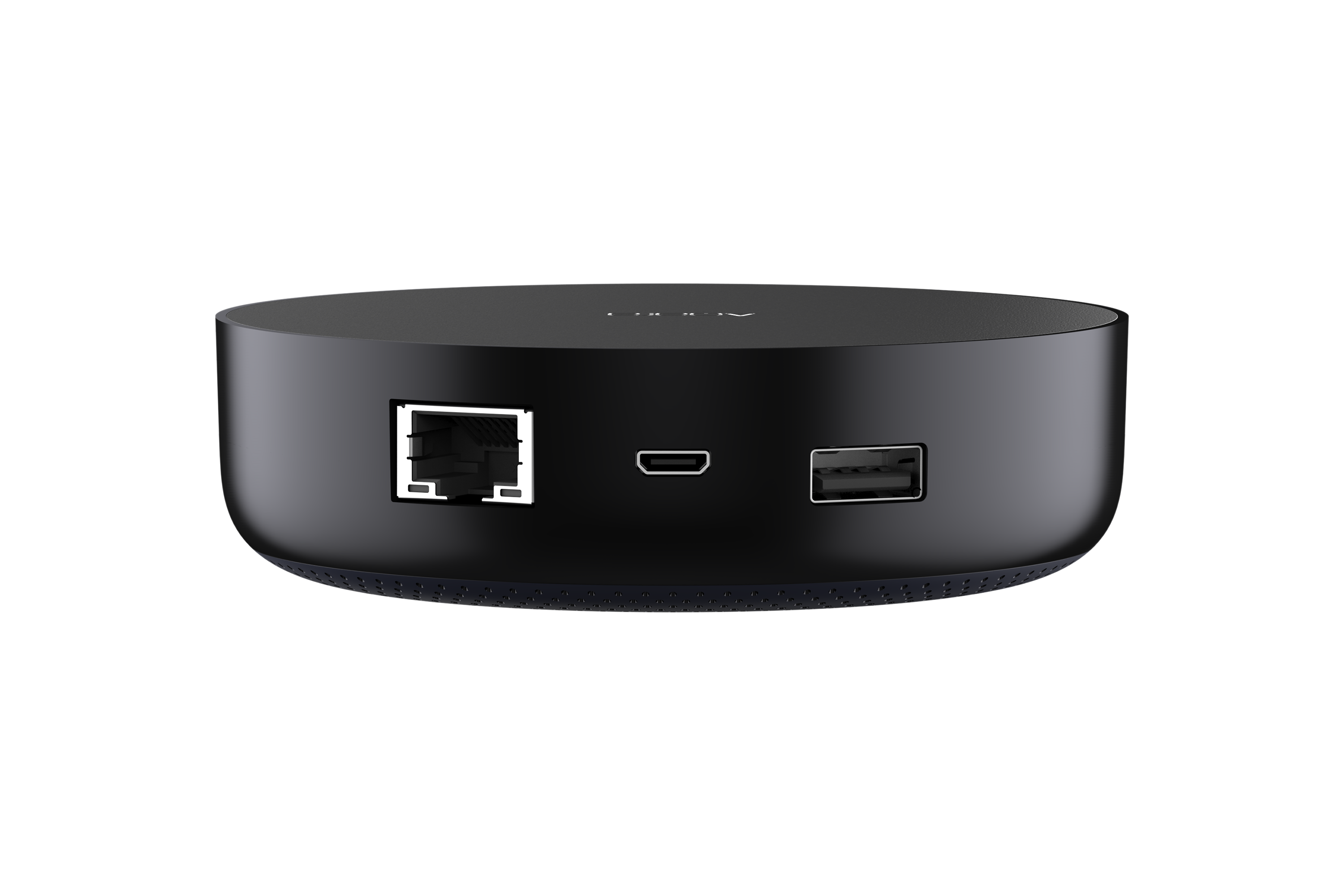
| Ports | PoE (RJ45) + USB-C + USB-A | RJ45 + Micro-USB + USB-A |
| Speaker | 90 dB, custom audio messages | Built-in (chimes / alarm only) |
| Local automations | Automations 2.0 (WHEN-IF-THEN) | Basic local automation |
| Dimensions | ⌀100.5 × 30.75 mm | ⌀100.5 × 30.75 mm |
| Apple Home all 4 alarm modes | Yes | Yes |
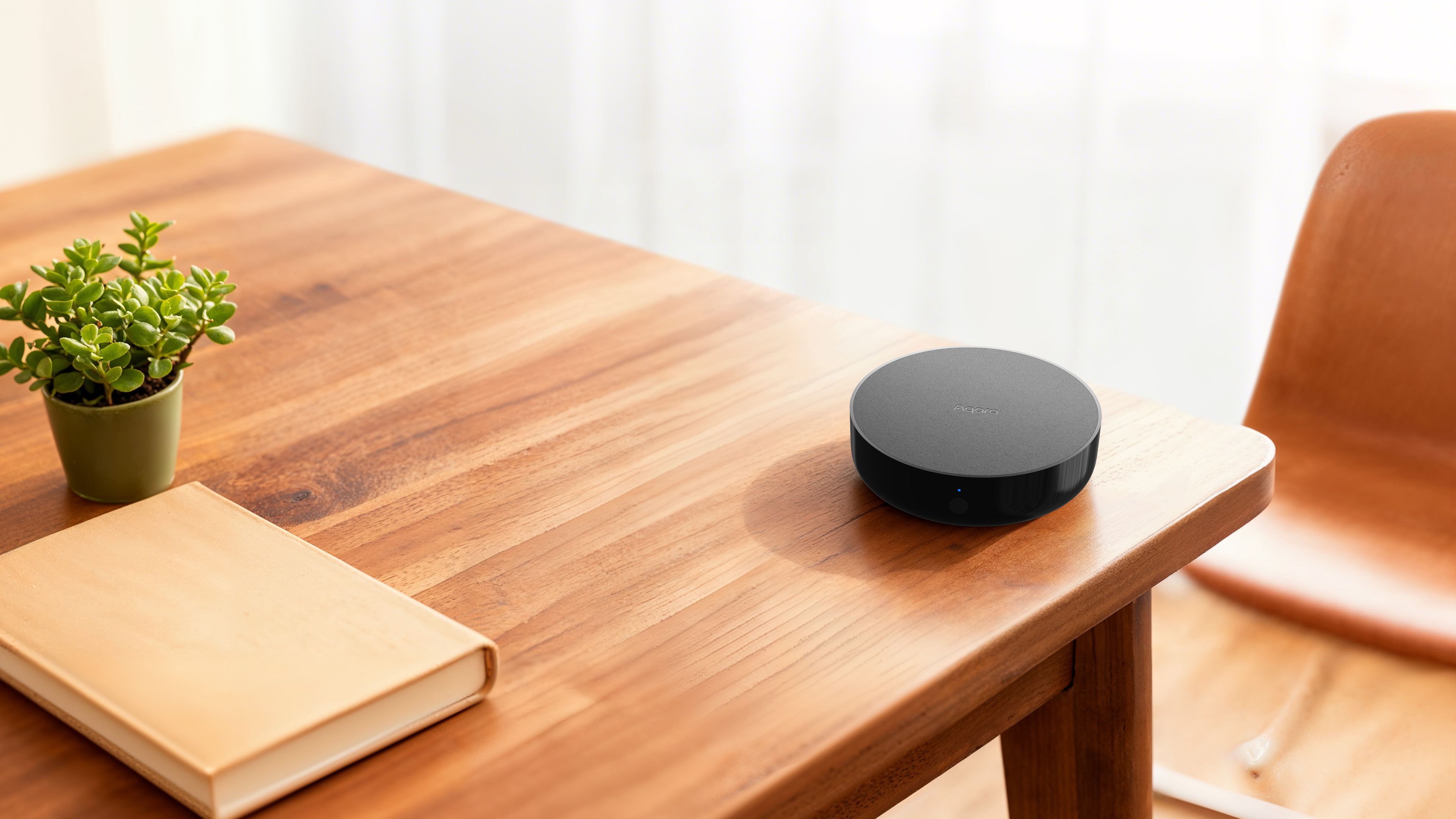
Both hubs are physically near-identical to look at — same ⌀100.5 × 30.75 mm puck, same matte-black finish, same recessed button on the front. Side by side on a shelf you genuinely can’t tell them apart without flipping them over. The reliable visual giveaway is the port on the back: USB-C on the M200, Micro-USB on the M2.
What’s actually different — feature by feature
Wireless: the M200 has Thread, the M2 doesn’t
This is the biggest difference, and the one that matters most for new buyers.
The M2 speaks Zigbee 3.0 to Aqara’s huge sensor and switch range, and that’s it (plus BLE 5.0 for setup). If you want to connect newer Matter-over-Thread devices — Nanoleaf bulbs, Eve sensors, the latest Apple-Home-native smart locks — the M2 can’t pair them directly. You’d need a separate Thread border router (a recent HomePod mini, Apple TV 4K, or Nest Hub) running on the same network.
The M200 has a dedicated 802.15.4 radio that handles both Zigbee and Thread, and it actively functions as a Thread Border Router and Mesh Extender. That means it not only adds Thread devices to your home but also strengthens the existing Thread mesh from your HomePods and Apple TVs. For Apple Home households building out a mix of Aqara Zigbee + third-party Thread devices, this single capability is worth the upgrade on its own.

The M200’s Wi-Fi is also a generational jump — dual-band Wi-Fi 6 (802.11ax) on both 2.4 GHz and 5 GHz with WPA3 security, versus the M2’s 2.4 GHz-only Wi-Fi 4. On a modern Singtel or Starhub Wi-Fi 6 router, you’ll see faster app responsiveness and fewer “device unresponsive” hiccups, especially in flats where the 2.4 GHz band is crowded by neighbours.
Matter: both support it, but in different roles
There’s a common misconception that “Matter support” is binary. It isn’t.
- The M2 is a Matter Bridge — via firmware 4.0.0 (rolled out from February 2023), it exposes its connected Aqara Zigbee devices to other Matter controllers (Apple Home, Google Home, SmartThings, etc.). It cannot control Matter devices itself.
- The M200 is a Matter Controller, Thread Border Router, Mesh Extender, AND Bridge — the full set. It can pair Matter devices directly (Thread or Wi-Fi-based) into Aqara Home, and expose Aqara’s Zigbee devices to other ecosystems with what Aqara calls Advanced Matter Bridging, which preserves Aqara-specific features (for example, smart lock unlocking methods) when those devices are surfaced in third-party apps.
In practice: if your smart home plan involves any device that isn’t Aqara — a Nanoleaf bulb, an Eve door sensor, a Schlage Matter lock — the M200 is the hub that brings it all into one app. The M2 brings Aqara into other apps, but it can’t ingest non-Aqara Matter devices.
IR control: the M200 listens
Both hubs have a 360° infrared blaster — useful for controlling old air-cons, TVs, ceiling fans, and audio receivers via voice or Aqara automations.
Both hubs support IR learning too — point your existing remote at the hub and it captures the codes, so appliances outside Aqara’s pre-coded library still work on either.
What the M200 adds is status sync: it listens for IR commands from your original remotes and keeps the device state accurate in real time — so if you turn the TV on with the physical remote, Aqara Home sees that it’s on, and any automation depending on “TV is on” fires correctly. The M2 has no idea what your original remote did.
For Singapore households still running older Daikin, Mitsubishi, Hitachi, or KDK air-cons with IR remotes, the M200 also adds Matter-compatible AC control — paired with an Aqara Climate Sensor, your IR air-con shows up in Apple Home as a thermostat-style device with proper temperature setpoints.
Device capacity: M2 still wins on raw Zigbee count
The M2 supports up to 128 Aqara Zigbee child devices (with repeaters like a Smart Plug or Wall Switch with Neutral acting as mesh nodes). The M200 supports 40 Zigbee + 40 Thread = 80 total.
For most Singapore homes — even a 5-room HDB or a 3-bedroom condo loaded with switches, sensors, locks, cameras, and curtain drivers — 40 Zigbee is plenty. We’ve fitted out entire flats with under 30 Aqara devices. But if you’re doing a landed property with dozens of motion sensors per floor, or you’ve already built a large Zigbee install on the M2 and want to keep adding, the M2’s higher ceiling is the better fit.
Power and ports: PoE is the M200’s hidden killer feature
The M2 takes Micro-USB 5V 1A power — fine, but Micro-USB is a connector category most homes have replaced years ago, and a 1A draw means you can run it from a USB power bank (great for short power-cuts).
The M200 supports either USB-C at 5V/2A or Power over Ethernet (PoE) at 48V/0.25A. The PoE option matters because it lets us install the hub anywhere a Cat 6 cable reaches — behind a TV, in a ceiling void, inside a server rack — with no separate power outlet needed.
For new condos and landed homes where the structured network cabling runs to a central rack, PoE turns the M200 into a clean, mount-and-forget install. For older HDB flats where Ethernet doesn’t run through the walls, the USB-C option behaves the same as the M2’s micro-USB — plug it in next to your router and you’re done.
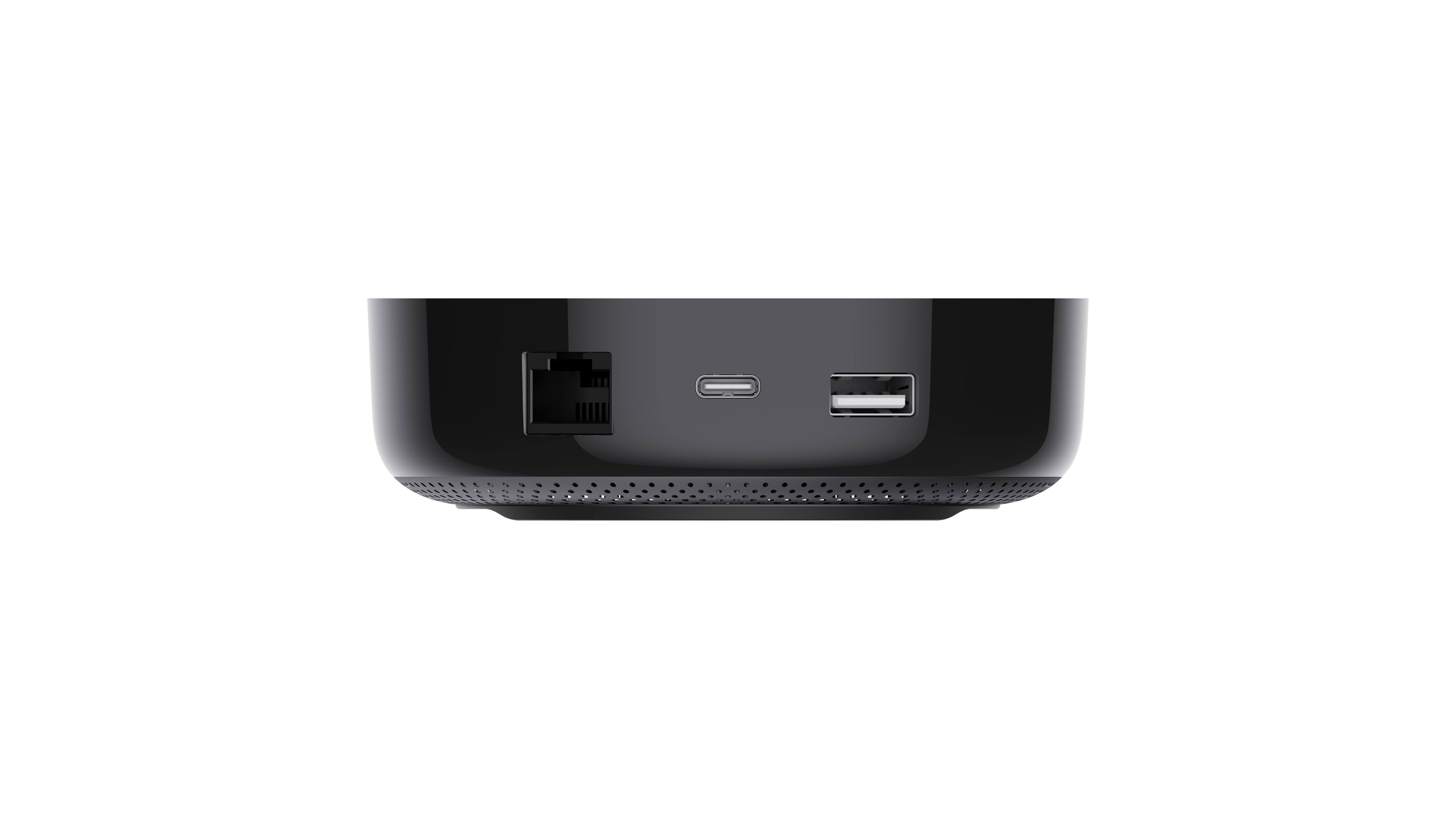
The M2’s three ports — RJ45 (Ethernet, for stability), Micro-USB (power), USB-A (reserved for future expansion) — are still a sensible set. Wired Ethernet on the hub is genuinely better than Wi-Fi for hub-to-router stability, and we recommend connecting either hub by cable when possible.
Speaker and audio: the M200 actually talks
The M2 has a built-in speaker — useful for chime-style doorbells and alarm modes. It plays a fixed set of sounds.
The M200’s speaker is 90 dB (measured at 10 cm) and supports custom audio messages. You can record a phrase — “Postman at the door”, “Kitchen leak detected” — and trigger it from any Aqara automation. With a water leak sensor in the kitchen, the M200 turns itself into a literal voice alert. The M2’s chime tells you something happened; the M200 tells you what.
Local automations: Automations 2.0
Both hubs run automations locally — meaning your “turn off the lights when no motion for 5 minutes” rule keeps working when your internet drops out.
The M200 introduces Automations 2.0, Aqara’s new WHEN-IF-THEN engine. Where the original engine was strict trigger-action pairs (when motion → turn on light), 2.0 lets you stack conditions: WHEN motion detected, IF after 7pm AND brightness below threshold, THEN dim light to 30%. On the M200 these rules run locally.
Some notifications (e.g. push to your phone) still need cloud, but the trigger logic itself doesn’t.

Should you buy the M200, or keep your M2?
Buying a new hub today: get the Aqara Hub M200
The M2 is no longer sold new, so for any first-time hub purchase the M200 is the answer. It’s especially the right call if:
- Your smart home plan includes Thread devices (most new Matter accessories from Eve, Nanoleaf, Apple, Yale, etc.)
- You want to future-proof for the next 5+ years
- You have structured cabling and want a clean PoE install
- You run a Wi-Fi 6 router at home and want the hub to match
- You use IR-controlled air-cons and want Matter-compatible AC control
- You want custom audio alerts triggered by sensors
Already own an M2? Here’s when upgrading is worth it
There’s no urgency to swap out a working M2 — it still bridges Aqara Zigbee to Apple Home / Google Home / Alexa, and still runs local automations exactly as it always did. Matter Bridge support arrived via the 4.0.0 firmware in 2023.
Consider upgrading to the M200 if you find yourself wanting any of the following:
- A native Thread border router — you’ve started buying Thread / Matter accessories (Eve sensors, Nanoleaf bulbs, the newer Apple Home-native locks) and want them in the same hub as your Aqara devices
- IR status sync — the M200 detects when the original remote is used and keeps the appliance’s state accurate in the app and Apple Home; the M2 can’t
- PoE — you’re rewiring or running structured Ethernet and want the hub on the same patch panel
- Custom voice alerts — you want the hub to speak a phrase rather than chime
If you’re deep in a pure-Aqara Zigbee install (60+ devices), note that the M2’s 128-device ceiling is higher than the M200’s 80 (40 Zigbee + 40 Thread). For very large all-Zigbee deployments the older M2’s headroom is still a real advantage; for everyone else, 80 mixed-protocol devices is more than enough.
A note on the rest of the Aqara hub range
The M200 isn’t the only hub Aqara sells. The M3 is a higher-end “Edge” hub for larger and multi-hub homes — it can lead a Hub Cluster of up to 10 Aqara hubs, run multi-hub automations locally, and (with a second M3) take over a failed hub’s automations; the M1S Gen 2 is the compact entry-level option; the M100 is a budget Matter hub without IR. We’ve written a full Aqara hub selection guide that compares the whole current lineup. Several of Aqara’s cameras — the G2H Pro, G5 Pro and G350 — and the G410 video doorbell also act as Zigbee hubs and may save you a separate hub purchase entirely.
See the M200 at our Keong Saik Road store
The Aqara Hub M200 is running live at the HomeSmart store and showroom at 24 Keong Saik Road, Singapore 089131 — alongside the full current Aqara range of switches, locks, cameras, sensors, and smart lighting.
You can pick up the M200, hear its 90 dB speaker fire a custom audio alert, watch a Thread device pair into Aqara Home, and see how IR learning captures codes from your own remote in real time. It’s the kind of feel-it-in-person check that’s hard to get from a spec sheet.
Address: 24 Keong Saik Road, Singapore 089131 Hours: 10am – 7pm daily WhatsApp to book: +65 8876 8104
As the official Aqara store in Singapore, every Aqara hub we sell is the SG-region version — IMDA-compliant, UK three-pin plug where applicable, paired to the local Aqara Home server, and covered by a 2-year local warranty processed locally at our Keong Saik or Gul Street offices. No cross-border RMA, no firmware lockouts.
Frequently asked questions
Is the Aqara Hub M2 still available to buy?
No. The Aqara Hub M2 has been discontinued and is no longer sold new. It has been superseded by the M200 in Aqara’s mainstream hub line. Existing M2 units continue to work, and they gained Matter Bridge support in firmware 4.0.0 (originally released February 2023). If you’re shopping for a new Aqara hub, the M200 is the direct replacement.
Is the Aqara Hub M200 worth the upgrade from the M2?
If your M2 is working and your devices are all Aqara Zigbee, there is no urgent reason to replace it — the M2 continues to bridge to Apple Home, Google Home, and Alexa, and the firmware-delivered Matter Bridge still functions. Upgrade to the M200 when you want native Thread support, IR status sync with your original aircon remote, PoE installation in a structured-cabling environment, or custom voice alerts instead of fixed chimes.
Does the Aqara Hub M2 support Matter?
Yes. The Aqara Hub M2 supports Matter as a Matter Bridge via firmware version 4.0.0 (originally released in beta in February 2023). This lets the M2 expose its connected Aqara Zigbee devices to third-party Matter controllers — Apple Home, Google Home, SmartThings — over Wi-Fi. Note that the M2 cannot pair Matter devices directly (it isn’t a Matter Controller), and it cannot run Thread, since it doesn’t have a Thread radio.
Does the Aqara Hub M200 support Apple Home / HomeKit?
Yes. The M200 acts as a HomeKit bridge for all connected Aqara Zigbee devices, and via its Matter Controller role it also exposes Matter devices to Apple Home. It supports all four Apple Home native alarm modes (Home, Away, Night, Off) — the same as the M2. One caveat: on current firmware, exposing the alarm system and exposing the IR air-con through Matter is an either/or choice.
Can I use the Aqara Hub M200 over Power over Ethernet?
Yes. The M200 has a built-in RJ45 PoE port accepting 48V at 0.25A from a standard PoE switch or injector. This is one of its biggest practical advantages — you can mount it anywhere a network cable reaches without needing a separate USB-C power adapter. The USB-C power option (5V 2A) is also available for non-PoE installations. The PoE power adapter is not included in the box.
How many devices can the Aqara Hub M2 connect to?
The Hub M2 can connect up to 128 Aqara Zigbee child devices. Reaching that ceiling typically requires Zigbee repeater devices in your network — usually Aqara Smart Plugs or Wall Switches with Neutral, which act as mesh nodes alongside being end devices. (Useful to know if you own an M2 with a large existing install — the higher device ceiling is one of the few things the M2 still does better than the current M200.)
How many devices can the Aqara Hub M200 connect to?
The Hub M200 connects up to 40 Aqara Zigbee devices and 40 Thread devices simultaneously, for a total of 80. For most Singapore homes, including 5-room HDBs and 3-bedroom condos, this is well above what’s typically needed. For very large installations, the M2 (128 Zigbee) or the higher-end M3 hub is a better fit.
Does the Aqara Hub M200 work without an internet connection?
Yes for local automations, no for cloud-dependent features. Local “WHEN-THEN” rules — motion triggers lights, sensor triggers alarms, scheduled actions — keep running on the M200 even when your home internet is down, thanks to the Automations 2.0 engine. Cloud-dependent features like push notifications to your phone, voice assistant integration (Siri, Alexa, Google), and remote app control require an active internet connection.
Can the Aqara Hub M200 control my air conditioner?
Yes, via its 360° IR blaster. The M200 can send IR commands to most major air-con brands sold in Singapore including Daikin, Mitsubishi, Hitachi, Panasonic, and Samsung. When paired with an Aqara Climate Sensor, it also supports Matter-compatible AC control — your IR air-con appears in Apple Home and other Matter ecosystems as a proper thermostat-style device with temperature setpoints, not just an on/off switch. For accurate status sync with your original remote, the M200 should be placed close to the AC unit (wall mounting is recommended).
Where can I buy the Aqara Hub M200 in Singapore?
You can buy the Aqara Hub M200 from HomeSmart Singapore — online at homesmart.sg or in person at our store and showroom at 24 Keong Saik Road. HomeSmart is the official Aqara store in Singapore, listed on Aqara’s where-to-buy page. The M200 is locally stocked with IMDA-compliant inventory and warranty processed in Singapore. (The Aqara Hub M2 has been discontinued and is no longer available new — if you have one and need a replacement, the M200 is the direct successor.)
Browse the full Aqara range
Aqara Hub M200 → All Aqara hubs →
Read: How to choose an Aqara hub · Read: Neutral vs no-neutral smart switches · Read: Apple Home, Google Home, Alexa & Matter compatibility