
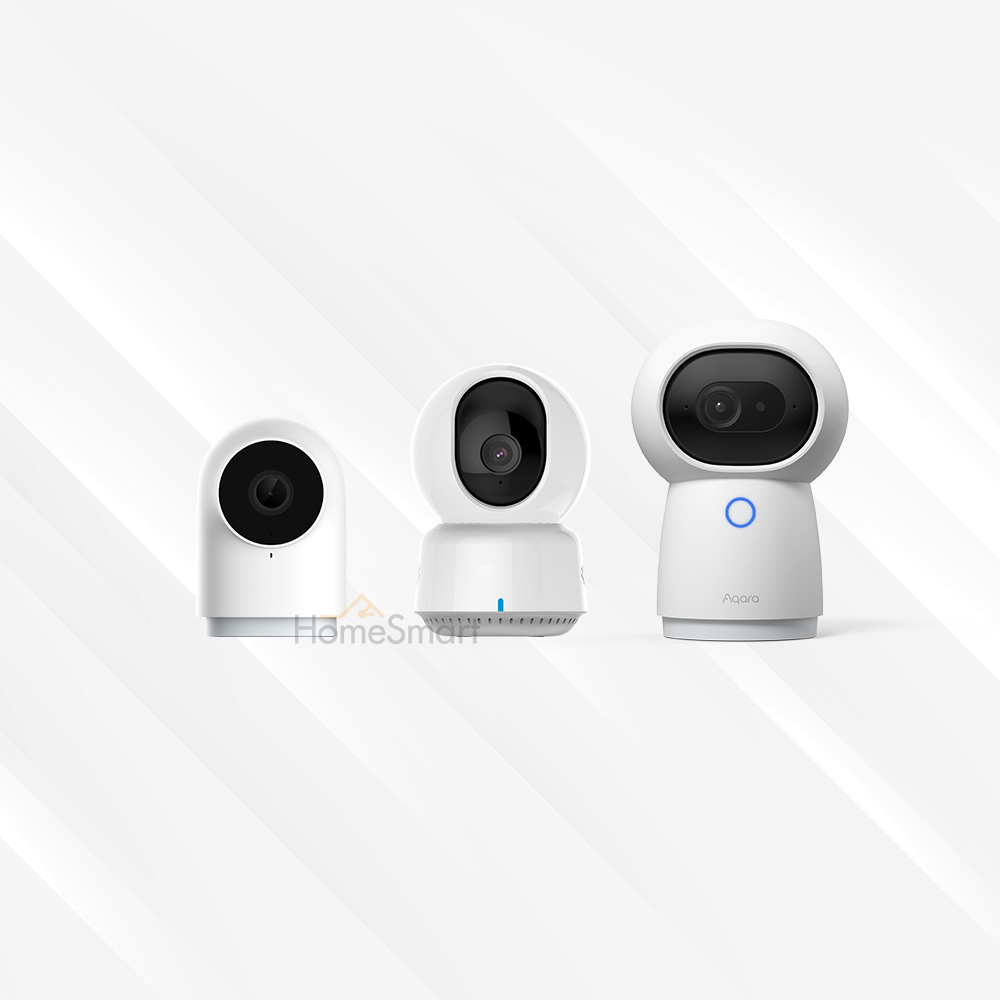
[Updated 12/7/2025]
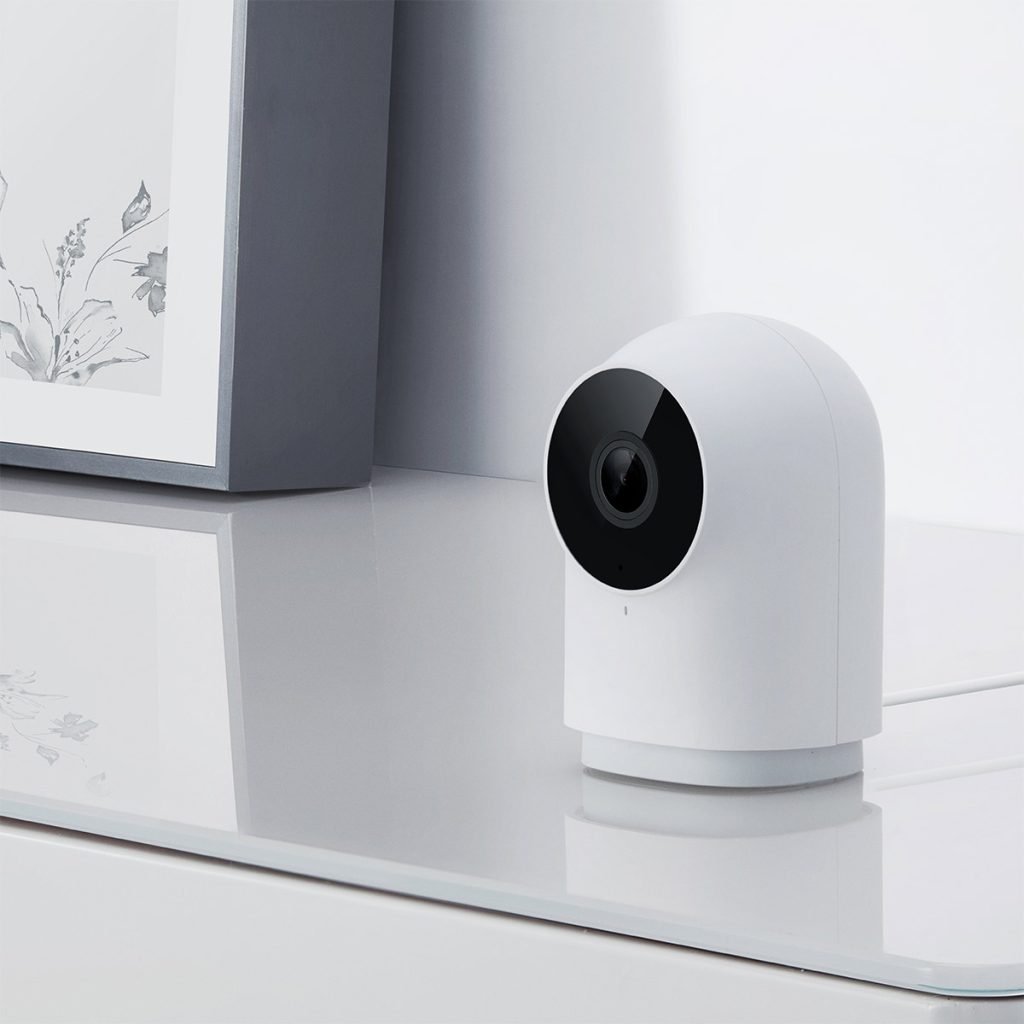
Aqara G2H Pro Camera Hub
Smart, connected camera with motion detection and night vision capabilities. Works with Aqara Home app, Apple HomeKit Secure Video, Google Home, and Alexa. Also works as a hub for other Aqara Smart Devices.
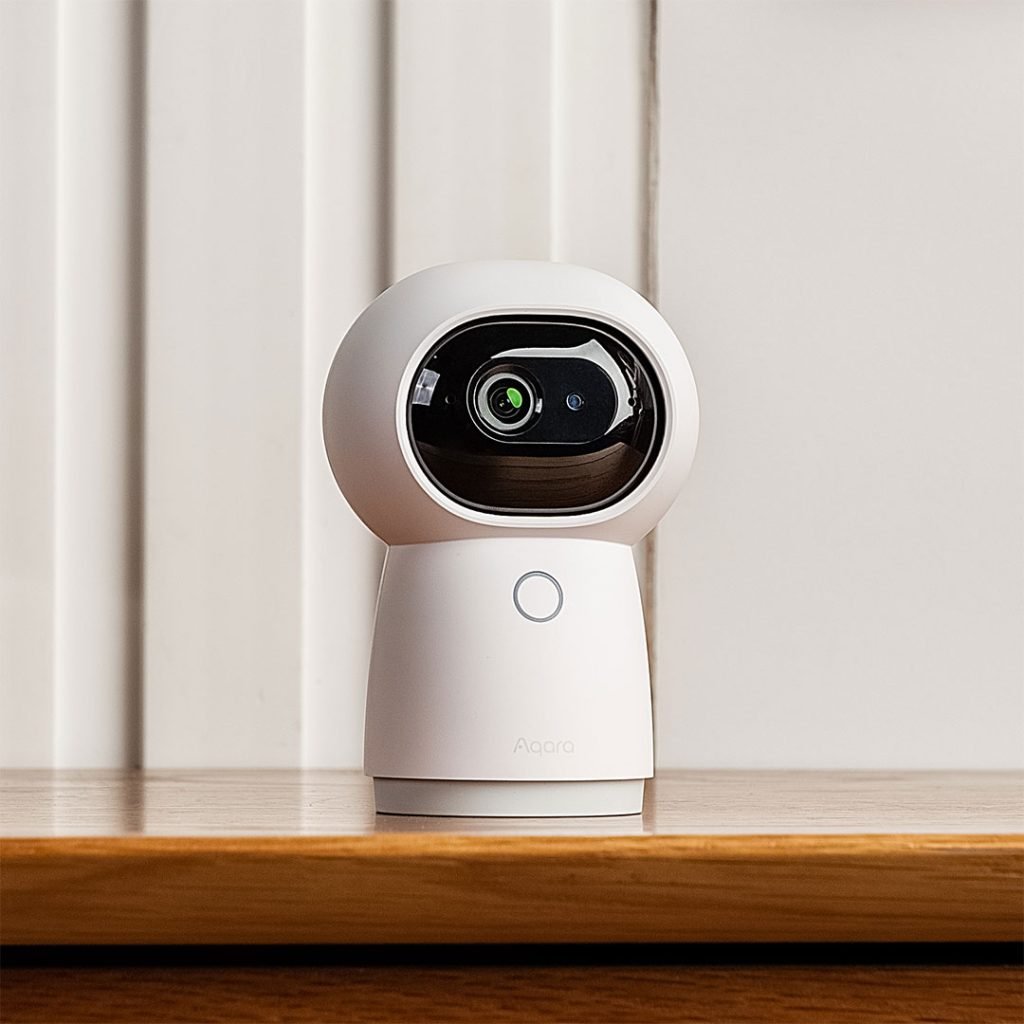
Aqara G3 Camera Hub
AI-enabled camera that works with Apple Home, Google Home, and Alexa – with infrared control, 360° rotation, automatic cruising, and tracking.
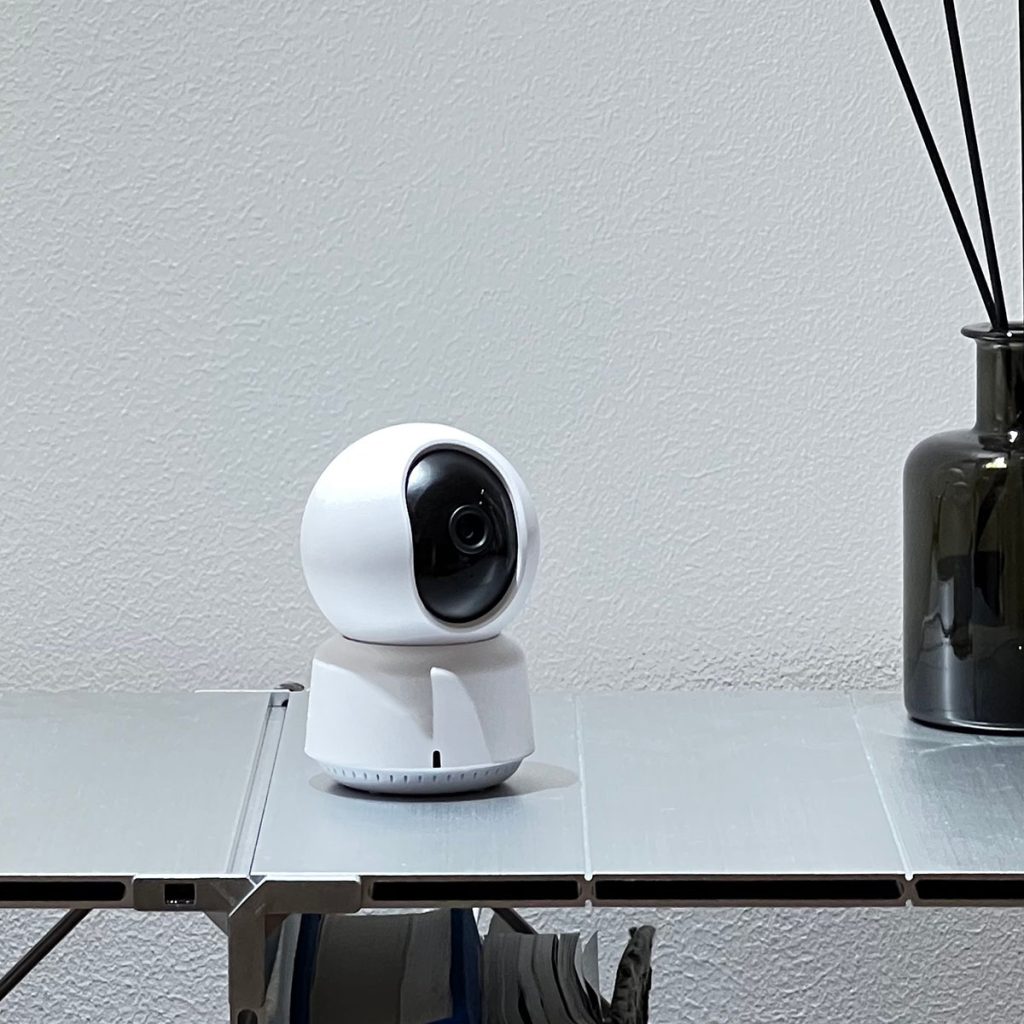
Aqara Camera E1
Smart, AI-enabled camera with facial recognition and pan/tilt functions. Fully integrated with your smart home – such as Aqara Home, Apple HomeKit Secure Video, Google Home, and Alexa.

Aqara Camera Hub G5 Pro
Flagship, weatherproof camera with WiFi and PoE variants, perfect for securing your home, especially in the exterior. Features full-colour night vision, a spotlight, and 2K video resolution.
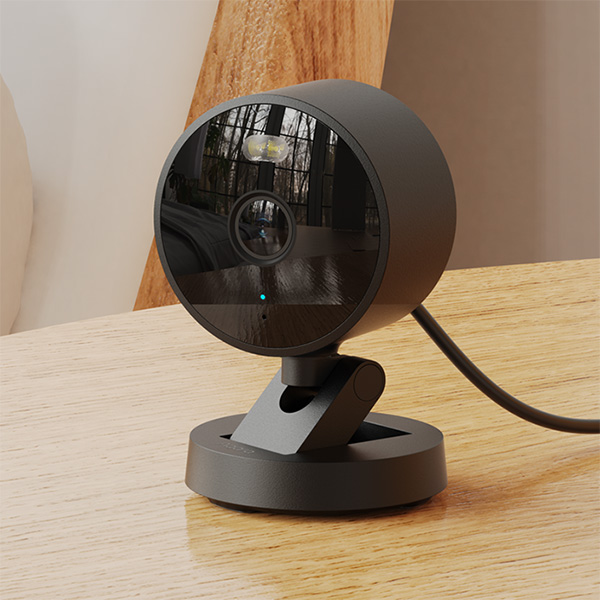
Aqara Camera G100
A smart camera supporting all-weather environment, indoors and outdoors. Equipped with wide-angle lens and two night vision modes. Wireless connectivity supports 2.4GHz Wi-Fi 6 networking and Micro SD card local video storage.
The Aqara range of smart cameras has expanded to quite a few models, and we’ve been getting many enquiries on the differences between them! Here, we’ll try to list out the differences to help customers make the most informed choices.
To be clear, we’re not including the video doorbells in our range.
Before we go into the details, here’s the TL:DR table!
| Aqara Camera Hub G2H Pro | Aqara Camera Hub G3 | Aqara Camera E1 | Aqara Camera Hub G5 Pro (Wi-Fi) | Aqara Camera Hub G5 Pro (PoE) | Aqara Camera G100 | |
|---|---|---|---|---|---|---|
| Price | $139 | $199 | $99 | $339 | $369 | $79 |
| Colour | White | White | White | White / Grey | White / Grey | White / Black |
| Works as a Zigbee Hub | Yes | Yes | No | Yes | Yes | No |
| Works as a Thread Border Router | No | No | No | Yes | Yes | No |
| Matter Controller | No | No | No | Yes | Yes | No |
| Dimensions | 82.4 × 56.5 × 50.5 mm | 123.4 × 85.1 × 67.8 mm | 69 × 69 × 104 mm | 70.5×70.5×89 mm (doesn’t include stand) | 70.5×70.5×89 mm (doesn’t include stand) | 58.16 × 58.16 × 72.25 mm |
| Wi-Fi | Wi-Fi 5 – 2.4 GHz only | Wi-Fi 5 – 2.4 GHz or 5 GHz | Wi-Fi 6 – 2.4 GHz only | Wi-Fi – 2.4 GHz or 5 GHz (for Wi-Fi version only) | Nil | Wi-Fi 6 – 2.4 GHz only |
| Ethernet port / PoE support | No | No | No | No | Yes | No |
| Pan / Tilt function | No | Yes | Yes | No | No | No |
| Pan / Tilt angle | Nil | Horizontal 340°, vertical 45° (upward 30°, downward 15°) | Not stated | Nil | Nil | Nil |
| Viewing angle | 146° | 110° | 101° | 133° | 133° | 140° |
| Privacy mode | No | Yes, lens slides up until hidden | Camera can be rotated to face a wall | No | No | No |
| Mount | Metal plate + Magnetic base | Screw hole on base | Screw hole on separate mount (included) | Screw hole on base plate | Screw hole on base plate | Screw hole on base |
| Video definition | Full HD; 1080p | 2K; 1296p | 2K; 1296p | 2K; 1520p | 2K; 1520p | 2K; 1296p |
| USB Power plug requirement | 5V 1A | 5V 2A | 5V 2A | 5V 2A | 5V 2A | 5V 2A |
| USB Power plug | Not included | Included | Not included | Not included | Not included | Not included |
| USB Power port | Micro-USB | USB-C | USB-C | USB-C | USB-C | USB-C |
| Included Power Cable | USB-A to Micro-USB | USB-A to USB-C | USB-A to USB-C | USB-C to USB-C | USB-C to USB-C | USB-C to USB-C |
| IR controller | No | Yes | No | No | No | No |
| MicroSD card maximum capacity | 512 GB (not included) | 128 GB (not included) | 512 GB (not included) | None; storage is integrated, non-removable 32GB eMMC | None; storage is integrated, non-removable 32GB eMMC | 512 GB (not included) |
| SMB support | Yes | Yes | Yes | Yes | Yes | Yes |
| RTSP support | No | No | No | Yes | Yes | Yes |
| Night vision | Invisible IR night vision | Invisible IR night vision | Invisible IR night vision | Full-colour night vision | Full-colour night vision | Invisible IR night vision |
| Spotlight | No | No | No | Yes | Yes | Yes |
| Apple HomeKit Secure Video | Yes | Yes | Yes | Yes | Yes | Yes |
| Works with Google Home and Alexa | Yes | Yes | Yes | Yes | Yes | Yes |
| Two-way audio communication | Yes | Yes | Yes | Yes | Yes | Yes |
| AI Features | None | Human tracking Pet tracking Gesture Recognition | Human tracking | Built-in NPU for face, human, vehicle recognition | Built-in NPU for face, human, vehicle recognition | Motion and human detection, advanced AI features require subscription |
| What’s in the box | G2H Pro Camera Hub × 1 User Manual × 1 Screw × 2 Metal Plate × 1 Power cable x 1 Ejector Tool × 1 Sticker × 1 | Camera Hub G3 × 1 User Manual × 1 Power Adapter × 1 Power Cable × 1 | Camera E1 × 1 User Manual × 1 USB-A to USB-C Cable × 1 Plastic Base × 1 Screw Kit × 1 | Camera Hub G5 Pro (Wi-Fi)×1 Rear lid opener × 1 Screw kit x 1 Power cable × 1, User manual × 1 | Camera Hub G5 Pro (PoE)×1 User manual × 1, Screw kit x 1 Rear lid opener × 1 Power cable × 1 RJ45 Waterproof Kit × 1 | Aqara Camera G100 × 1 Power Cable × 1 Screw kit x 1 Manual ×2 |
Size
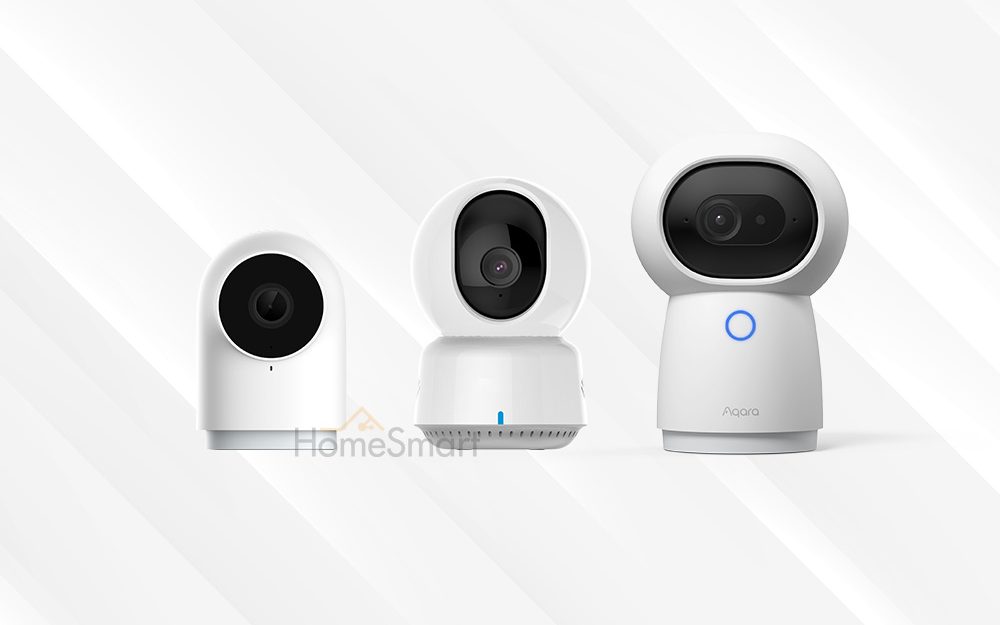
It’s a close fight for the smallest size between the Aqara G2H Pro and the Aqara Camera G100, but the Aqara G100 comes out top. However, the difference is almost negligible – it’s probably more important which look you prefer as they have their own distinct appearance.
The Aqara G5 Pro, at the other side of the spectrum, is pretty bulky in a solid way.
Mounting Options
All models have different mounting systems.
Aqara Camera Hub G2H Pro
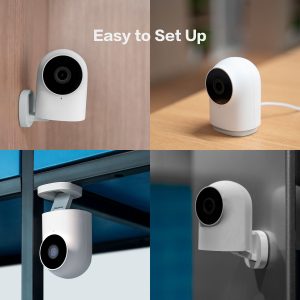
This camera comes with a magnetic base; on which you have almost unlimited options of swiveling and articulating from the stand. This means the G2H Pro can be mounted on any flat surface, including normal planes, walls, and ceilings. It’s easy to adjust the camera to achieve the view you want, especially with the 146° viewing angle.
Aqara Camera Hub G3
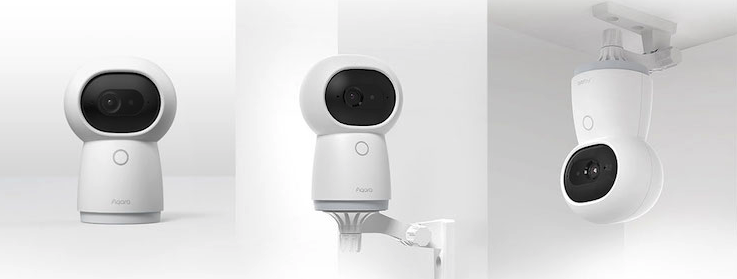
The Aqara Camera Hub G3 has a screw thread in the bottom of its base. You can mount the G3 on a mounting stand (sold separately) and install this stand on the wall or ceiling.
Aqara Camera E1
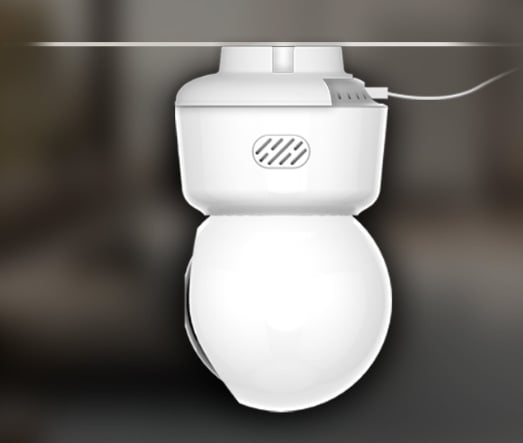
The Aqara Camera E1 has a separate mount. The camera can be install on the mount (slide in until it clicks). This mount can be installed on the ceiling directly with screws; alternatively, it has a screw thread where you can mount it on another mounting stand (sold separately). Generally, this camera is most ideally installed upside down (it has a 30° upward tilt and 15 degree downward tilt – this means when upside down, it can see more of the space below).
Aqara Camera Hub G5 Pro

As an outdoor camera, the G5 has a very secure mounting mechanism. It has a removable baseplate where you can slide the camera unit off. You’d install the baseplate with a mechanical mounting system, slide the camera base back on the baseplate, and then further lock the base to the baseplate with an extra screw system for extra security.
Aqara Camera G100
As the most basic camera of the range, the G100 isn’t the most naturally mountable camera. It has a base with a few holes you can screw through into the ceiling or wall surface. Simply move the reticulating stand out of the way of the base, and the hole is exposed. It doesn’t support any magnetic mounting like the G2H Pro.
Field of view
The G2H Pro has the widest field of view, probably to make up for the lack of a pan / tilt function. At 146 degrees, it’s easy to capture the entirety of a room when it’s placed in a corner. The G100 and G5 Pro, at 140 degrees and 133 degrees respectively, is not that much different practically. All can capture very wide angles.
The G3 and the E1 are quite similar – narrower in view angle but sufficient.
Pan / Tilt Function
Only the G3 and the E1 has a pan / tilt function. What this means is that you can remotely move the view of the camera – motors inside the camera body can rotate to show the view that you want. The G2H Pro does not have this function.
It’s important to note that this pan/tilt feature only works when streaming. You can’t adjust the view of historical, recorded clips – it records wherever the camera was pointing at, in that point of time. This means that sometimes, it may make sense to have a camera with a wider field of view, than a camera that can pan/tilt.
Hub Functionality
The Aqara G2H Pro, Aqara G3, and G5 Pro all work as Zigbee hubs – that is, they can be used to connect your other Aqara Zigbee devices, such as smart wall switches, motion sensors, and more.
The Aqara Camera E1 and G100 doesn’t have this feature.
On top of Zigbee connectivity, the G5 Pro also works as a Thread Border Router, and can work as a Matter Controller.
IR Control
IR control means that the device is able to send commands to your existing IR appliances, such as air-conditioners. Most air-conditioner units have a remote control – this remote control beams IR (infrared) commands to your air-con to turn on or off, or to set a temperature.
The Aqara G3 camera has this function, and is able to give your air-conditioners smart controls by using this function. This means you’ll be able to control your air-con and change its settings with your smartphone app, and even do so remotely.
The other cameras do not have this function. Our other products, the Aqara Hub M2 and Aqara Hub M3, can do this as well.
AI Features
The G3 Camera has many AI features, namely
- Person tracking (camera pans and tilts to follow humans)
- Pet tracking (camera pans and tilts to follow dogs and cats)
- Gesture recognition
The G5 Camera supports more AI features, including
- Face recognition
- Human detection
- Vehicle detection
- Package Guardian (detecting packages and parcels, including if they get removed)
- Animal detection
- Sound detection
With an onboard NPU, the camera supports most of these local AI features.
The Aqara G2H Pro doesn’t support any of these. The Camera E1 only supports Human tracking. The G100 camera supports human detection, while other AI features require a subscription to the Aqara HomeGuardian service.
Outdoor Use
Only the Aqara Camera G100 and the Aqara Camera Hub G5 Pro are rated for IP65 and can be used outdoors.
Conclusion
Choosing the right camera for you really boils down to a few factors.
- Need the cheapest camera, don’t need a hub – Aqara Camera G100.
- Need the cheapest camera with pan-tilt zoom, don’t need a hub – Aqara Camera E1
- Need a basic outdoor camera – Aqara Camera G100
- Need a full-fledged outdoor camera – Aqara Camera G5 Pro
- Need a camera that works as a Zigbee hub and Thread Border Router and Matter Controller – Aqara Camera G5 Pro
- Need a wired camera that uses PoE or to use Ethernet for stabler connectivity – Aqara Camera G5 Pro (PoE version)
- Need a basic camera that works as a hub – Aqara Camera G2H Pro.
- Need a fully featured camera that supports tracking and IR control – Aqara Camera Hub G3.
If you’re looking for a camera that also works as a doorbell at your front door, take a look at our Aqara Video Doorbell G410 – which isn’t compared in this article as it fulfills a separate function.